
Webcams
EarthCam, Inc.Travel & Local
3.31.45K Reviews
- Version
- 2.0.35
- Installs
- 1.00M
- Age Rating
- Everyone
Screenshots

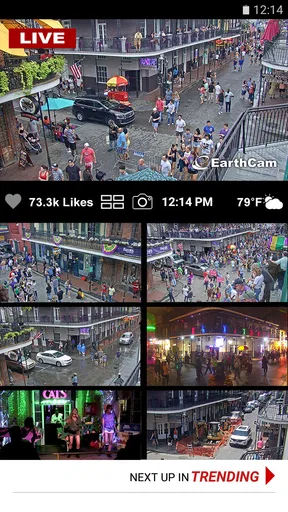
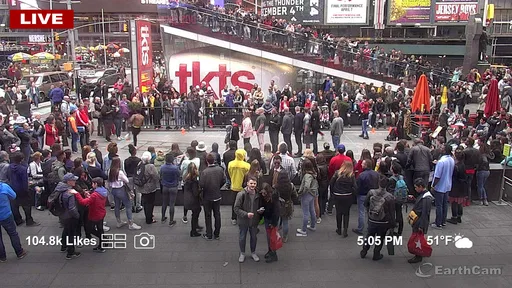

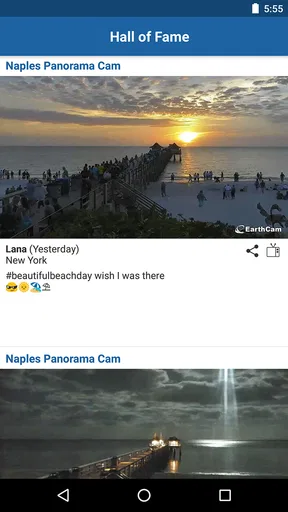
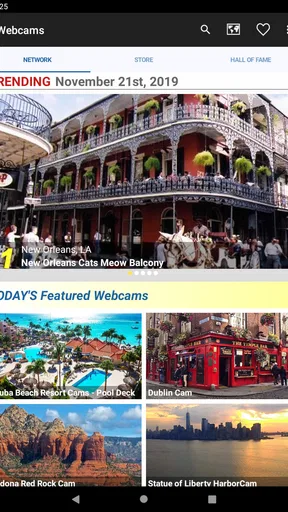
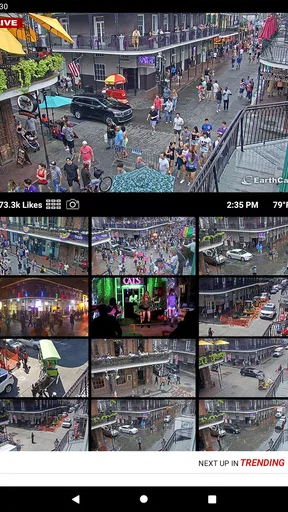

Our Review of Webcams
 Analysis by Appyee
When I look at EarthCam’s Webcams app, I see a travel companion built around watching places remotely rather than planning every step of a trip. It offers a simple way to spend a few minutes looking at live camera views from around the world, whether I’m checking the atmosphere in a place I hope to visit or just taking a brief virtual break. I find that idea more appealing when I treat it as a window for curiosity, not as a substitute for a full travel guide.
What the app is best suited to do
EarthCam, Inc. makes this free Travel & Local app, and its focus is webcams: viewing a place from afar, rather than booking transport, building an itinerary, or finding detailed local recommendations. That distinction matters. If I want to see a destination’s current visual feel, a live camera can provide something a map or a row of travel photos cannot. If I need opening hours, transit directions, or dependable conditions for a specific journey, I would pair it with a dedicated travel service.
For me, its strongest use is a small, spontaneous one. I might be considering a city for a future holiday, open the app during a quiet moment, and look at a camera view to get a sense of the setting. I would not mistake that view for a complete picture of the destination: a webcam shows one angle, and a live scene can be affected by weather, lighting, camera placement, or activity at that particular moment. Still, seeing a place change in real time has a charm that polished destination images often lack.
Current state and the app’s evolution
The app has been around since September 27, 2013, and its current version is 2.0.35. That long span suggests a product that has had time to settle into a clear purpose: helping people view webcams rather than trying to become an all-purpose travel platform. I see the current version number as a useful point of reference, but not as proof of any particular redesign or feature change. Without a documented change history to rely on, I wouldn’t claim that a specific tool was added or removed.
That careful distinction is useful for existing users, too. Someone who has used the app before can judge the current experience by what it actually offers on their device, rather than assuming that a version number tells the whole story. A version update may matter for compatibility or general maintenance, but it does not automatically mean that the webcam selection, viewing controls, or presentation have changed in a way every user will notice.
The app has a 3.3 average from around 13,000 ratings, with about 1,400 written reviews, and it has passed one million installs. I read those figures as evidence that it has attracted a sizeable audience, alongside a mixed reception. That combination makes sense for a specialized viewing app: people who enjoy checking live scenes may find the core idea satisfying, while someone expecting a complete travel toolkit could feel that the experience is too narrow.
How I would use it in everyday life
A practical routine is to use a live view as a quick visual check, not as a final decision-maker. Before setting out to meet someone in a public place, for instance, I could look at a relevant camera if one is available and see whether the scene appears busy or quiet. I would still confirm details through a more appropriate source, especially if timing or safety matters. The camera can add context, but it cannot tell me everything about the surrounding area or guarantee that conditions will remain the same when I arrive.
It can also work as a low-effort way to explore when I have no immediate trip planned. I might check a location during a lunch break, compare its appearance at different moments, or share the screen with a friend while talking about places we would like to visit. That kind of casual browsing is where the app’s narrow focus becomes a strength: I can look at a real scene without being pulled into a long itinerary or a stream of promotional travel content.
One useful habit is to treat each view as a snapshot from a particular camera position. If a scene looks quiet, that does not mean the entire destination is quiet; if it looks sunny, that does not establish the weather across the wider area. I would avoid using a single feed to make time-sensitive plans. For travel decisions, I would cross-check with maps, local information, or weather services, then return to the webcam for the visual impression it is good at providing.
Where it sits among travel alternatives
Compared with a map app, Webcams is less useful for navigation but more immediate as a way to look at an actual scene. Compared with a destination guide, it offers less structured background and fewer planning tools, yet a live camera can feel more personal than a static photo. And compared with searching for travel videos, a webcam view can be appealing when I want to see what is happening now rather than watch footage made at an unknown time.
That trade-off means I would not choose it as my only travel app. If I’m booking a trip, I want services that handle routes, accommodation, and practical details. If I’m deciding whether I like the atmosphere of a place, or simply want a short visual escape, a webcam-focused app makes more sense. It is a companion to planning tools, not a replacement for them.
Who should try it, and who may want something else
I think it is a good fit for curious travelers, people who enjoy watching distant places, and anyone who likes to browse real-world scenes without committing to a plan. It may also suit someone who wants a visual reference before researching a destination more seriously. The app is rated for Everyone, so its general audience is broad, though the usefulness of the experience depends more on a person’s interest in webcam views than on age.
I would suggest skipping it if you expect turn-by-turn directions, detailed destination advice, or a dependable way to assess conditions across an entire area. It is also not the right choice if you need a webcam for video calls: the name refers to viewing webcams, not using your phone as a camera for meetings. That distinction is easy to miss, so it is worth being clear about it before installing.
Cost, expectations, and a few practical checks
The app is free to download, with in-app purchases ranging from $0.99 to $4.99 per item. I would start with the free experience and decide whether the available viewing is useful before spending anything. A purchase only makes sense if it addresses a need I have actually encountered; I would not pay on the assumption that doing so will turn a webcam viewer into a full travel planner.
Webcams has over one million installs, but popularity alone does not tell me whether a particular camera view will be useful for my destination or routine. Before relying on it, I would open the app while I have a stable connection, explore the views that interest me, and check whether they provide the sort of perspective I want. If I’m using it to help plan a real outing, I would also confirm current practical details elsewhere rather than treating a live image as a complete report.
Why I still find the idea worthwhile
What keeps the app interesting is the difference between looking at a place and looking at a picture of a place. A camera view can make a faraway location feel present, even when all I have time for is a quick glance. That does not make the view comprehensive or perfectly reliable for planning, but it gives the app a distinct role among travel tools: it offers a small moment of visual discovery.
I would keep my expectations modest and judge it on that job. If I want a practical itinerary, I’ll reach for a guide or map. If I want to see a place from a distance and let curiosity take over for a few minutes, EarthCam’s app has a clear reason to be on my phone. The version and its long-running history are useful context, while future changes are something I would assess only when they are visible in the app rather than guessing from a number.
Alright, folks, let’s dive into the world of Webcams, those nifty little devices that have become as essential as a good cup of coffee in the morning. Whether you’re working from home, catching up with family, or streaming your latest gaming adventure, a reliable webcam is your window to the world. In this review, I’m going to break down everything you need to know about choosing the right one for you.
The Importance of a Good Webcam
Let’s kick things off by talking about why having a decent webcam is crucial. Imagine you're in the middle of a crucial meeting, and your video starts lagging or, even worse, freezes. Not a good look, right? A quality webcam can make all the difference in how you’re perceived online, providing crystal clear video and sound. Plus, with more of us connecting virtually, it’s become a bit of a must-have gadget.
Now, I know what you’re thinking. “Can’t I just use the built-in camera on my laptop?” Sure, you could. But if you’ve ever compared the two, you’ll know that external webcams typically offer better resolution, more advanced features, and greater flexibility in positioning.
Features to Look For
So, what features should you be on the lookout for? First up is resolution. Most webcams these days offer at least 720p, but if you’re going for that high-def look, I’d recommend opting for a 1080p model. Some even offer 4K, but unless you’re a hardcore streamer, 1080p should do the trick.
Next, consider the frame rate. A webcam with a higher frame rate will provide smoother video. Look for at least 30 frames per second (fps), though some models offer 60fps for an even smoother experience.
Then there’s the matter of autofocus and low-light correction. These features ensure you stay in sharp focus and well-lit, even if you’re working in a dimly lit room. Trust me, your colleagues will thank you for it.
Sound Matters Too
Let’s not forget about audio. While most webcams come with built-in microphones, you’ll want to ensure they provide clear sound. Some offer noise-canceling features to minimize background noise, which can be a lifesaver if you’ve got kids or pets running around.
For those who rely heavily on audio quality, investing in a separate microphone might be worth considering. But for general use, a good webcam mic should suffice.
Easy Setup and Use
One of the beauties of modern webcams is their plug-and-play nature. Most models connect via USB and are ready to go right out of the box. No need to fuss with drivers or complex installations. Just plug it in, and you’re good to go.
Many webcams also come with adjustable clips, making it easy to attach them to your monitor or laptop. Some even offer tripod mounts for more flexible setups.
Privacy Concerns
In today’s digital world, privacy is a big deal. Look for webcams that offer a built-in privacy shutter or cover. This simple feature can give you peace of mind, knowing you’re not being watched when you don’t want to be.
Final Thoughts
So, there you have it. A quality webcam can enhance your virtual interactions, whether for work or play. It’s all about finding the right balance of features that suit your needs. From resolution and frame rates to sound quality and privacy features, there’s a lot to consider. But once you find the perfect match, you’ll wonder how you ever managed without it.
Remember, a good webcam is an investment in how you present yourself to the world. So, choose wisely, and happy video chatting!
Verdict
Strengths of Webcams
- High-quality video streaming.
- Easy integration with multiple platforms.
- Adjustable settings for optimal use.
- Supports a variety of webcam models.
- User-friendly interface for quick setup.
Limitations of Webcams
- May require strong internet connection.
- Limited features in free version.
- Occasional compatibility issues.
- Some models can be expensive.
- Software updates can be infrequent.
Other Releases by EarthCam, Inc.
View All
EarthCamTV 2
Travel & Local3.6
Similar Picks in This Category
View All
Google Maps
Google LLC3.4

Google Maps Go
Google LLC4.1

Booking.com: Hotels & Travel
Booking.com Hotels & Vacation Rentals4.8

Google Earth
Google LLC3.8

Skyscanner Flights Hotels Cars
Skyscanner Ltd4.8

trivago: Compare hotel prices
trivago N.V.4.4
Frequently Asked Questions
What features does this webcam app offer?
This webcam app provides a variety of features, including HD video streaming, customizable filters, and real-time video effects. Users can also take snapshots, record videos, and directly share them on social media platforms. Additionally, the app supports multiple camera setups for users with more than one webcam.
Is the webcam app compatible with all devices?
The webcam app is designed to be compatible with most Android and iOS devices. However, it is essential to check the app store for specific device requirements and ensure that your device's operating system is updated to the latest version for optimal performance.
How secure is the webcam app in terms of privacy?
The app prioritizes user privacy, offering encrypted connections to prevent unauthorized access. Users can adjust privacy settings to control who can view their streams or recordings. It’s advised to regularly review the app’s privacy policy and update settings to keep your data secure.
Does the webcam app support live streaming on multiple platforms?
Yes, the app supports live streaming to various platforms such as YouTube, Facebook, and Twitch. Users can easily link their accounts and start broadcasting live with a few taps. Make sure to have a stable internet connection for an uninterrupted streaming experience.
Are there any in-app purchases or subscriptions required?
While the webcam app offers many features for free, there are premium features available through in-app purchases or subscriptions. These may include advanced editing tools, additional filters, and ad-free usage. Users can choose to unlock these features based on their needs and preferences.
